
01 · Scene 01
Hook
Close-up product reveal with a quick camera push and bold opening caption.
Prompt
Resolution
Duration
Aspect Ratio
Generated storyboard
Scene 01
Hook
Scene 02
Proof
Scene 03
CTA
Prompt-to-publish AI video workflow
Turn any prompt, script, article, or idea into a ready-to-publish video with AI-generated scenes, voiceovers, subtitles, music, and brand-ready edits.
Create videos from text
The strongest text to video workflow does more than render a clip. It turns your idea into an editable production plan before generation starts.
01 · Scene 01
Close-up product reveal with a quick camera push and bold opening caption.
02 · Scene 02
Show the product in use with natural motion, subtitles, and a calm voiceover beat.
03 · Scene 03
End on logo, offer, and platform-safe framing for vertical social feeds.
How it works
Use a simple three-step flow that mirrors how real video teams work: brief, storyboard, generate.
Start with a prompt, script, article, product brief, or rough idea. Add audience, format, tone, and length.
Check scenes, camera direction, captions, voiceover beats, and estimated credits before generation.
Create the video, regenerate only weak scenes, adjust pacing, then export every format you need.
Features
Generate the visual, audio, subtitle, and format layers together so the result is closer to a finished asset.
Turn written direction into cinematic shots with subject, motion, lighting, camera, and composition planned together.
Generate narration from your script or let AI draft a concise voiceover that matches the selected use case.
Add readable captions for TikTok, Reels, Shorts, ads, explainers, and training clips without a separate tool.
Plan intros, cuts, transitions, pauses, and background music so the result feels edited, not stitched together.
Apply logo placement, brand colors, subtitle styles, end cards, and CTA layouts before exporting.
Prepare 9:16, 16:9, and 1:1 versions for TikTok, YouTube, Instagram, LinkedIn, and paid campaigns.
Use cases
Start from outcome-specific templates instead of a blank prompt box. Each template can prefill structure, pacing, and export format.
Create scroll-stopping TikTok, Reels, and YouTube Shorts from short ideas, hooks, or campaign briefs.
Turn product benefits, screenshots, or feature notes into concise walkthroughs and launch videos.
Generate ad angles, hooks, proof scenes, and CTA endings for fast creative testing across channels.
Convert lessons, articles, and documentation into structured videos with narration and captions.
Create internal process videos, onboarding clips, and policy explainers without camera production.
Draft multi-scene video concepts, preview the visual arc, and keep character or style direction consistent.
More control
Competitor pages usually promise fast generation. FlowCanvas should make the generation safer to use by exposing the storyboard, scene edits, cost, and output formats before creators commit.
See the generated storyboard, duration, aspect ratio, and estimated credit use before producing the final video.
Fix the shot that missed instead of restarting the whole video. Keep the parts that already work.
Reuse saved colors, subtitles, logo placement, pacing, and visual direction across a full campaign.
Move from script to scenes to subtitles to final formats in one workspace built for publishing.
Prompt examples
Use these prompts as starting points for social clips, explainers, product demos, and paid creative tests.
Create a fast vertical ad for a reusable water bottle. Open with a messy desk hook, show the bottle keeping water cold, add punchy captions, and end with a limited-time CTA.
Turn this article about meal planning into a friendly explainer with three scenes, warm kitchen visuals, calm voiceover, and simple on-screen summary text.
Make a product demo for an AI meeting notes app. Show the pain of messy notes, the dashboard, automatic action items, and a clear free-trial CTA.
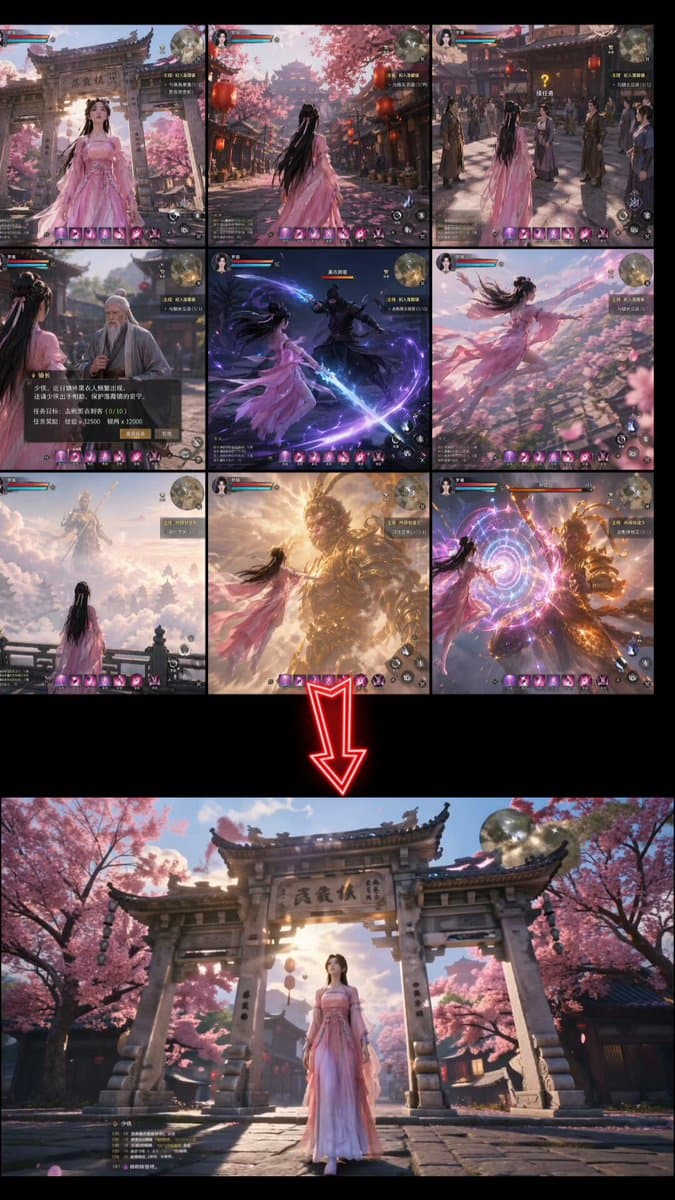
Storyboard-first generation
Plan shots, captions, narration, and output settings before rendering the final video.
Workspace
Answers about scripts, editing, output formats, commercial use, and writing stronger text to video prompts.
A text to video AI generator turns written prompts, scripts, articles, or briefs into videos with scenes, motion, subtitles, voiceover, music, and export settings.
Yes. Paste a script, article, lesson, or product brief and the workflow can break it into scenes, captions, voiceover beats, and platform-ready video formats.
Yes. The page is designed around editable storyboards, scene-level regeneration, subtitle changes, voiceover adjustments, and brand styling before export.
The recommended workflow supports vertical 9:16, landscape 16:9, and square 1:1 planning so the same concept can be adapted for social, YouTube, ads, and presentations.
Commercial use depends on your plan, the model provider rules, your prompt, and your rights to any uploaded brand assets or reference media. Always review current terms before publishing paid work.
Write prompts like production briefs: include audience, platform, length, subject, motion, camera, mood, subtitles, voiceover, brand style, and the desired final action.
Generate your first storyboard, preview the structure, then turn it into a publish-ready video with scenes, voiceover, subtitles, and export formats.