
01 · Character
Identity lock
Keep the same face, outfit, silhouette, and character style across multiple shots.
Reference Assets
Prompt
Resolution
Duration
Aspect Ratio
Reference usage
Identity
Product
Style
Consistent characters, products, and scenes
Upload multiple reference images and guide AI video generation with consistent characters, products, style, composition, scenes, and camera movement across every shot.
Multi reference
Use several images to guide identity, product detail, mood, camera, composition, and continuity instead of forcing one image to do everything.
01 · Character
Keep the same face, outfit, silhouette, and character style across multiple shots.
02 · Product
Preserve packaging, product shape, logo placement, materials, and hero angles.
03 · Style
Transfer lighting, color palette, camera language, and campaign mood.
How it works
Make the references explicit: upload, label, prompt, preview, then generate with stronger continuity.
Add character, product, style, scene, logo, composition, or camera references before writing the video prompt.
Assign roles such as Character, Product, Style, Scene, Composition, Camera, or Brand so the model knows what to preserve.
Describe the shot, action, camera movement, lighting, pacing, and the details that must stay consistent.
Review which references guide each shot, then generate a consistent video instead of guessing from one image.
Control
Assign references to specific jobs so the model can preserve the details that matter most.
Keep the same person, avatar, outfit, face shape, and styling across cuts, close-ups, and motion changes.
Protect product shape, packaging, logo details, material finish, and brand assets during motion generation.
Use style references to guide color palette, mood, lens feel, lighting direction, and campaign atmosphere.
Reference framing, camera angle, shot type, depth, orbit, push-in, pan, or product reveal direction.
Plan a connected sequence where backgrounds, subject scale, styling, and visual rhythm remain coherent.
Keep logos, brand colors, typography references, end cards, and product worlds consistent across a campaign.
Examples
Use multi reference when one frame is not enough to preserve identity, product details, scene logic, and campaign style.
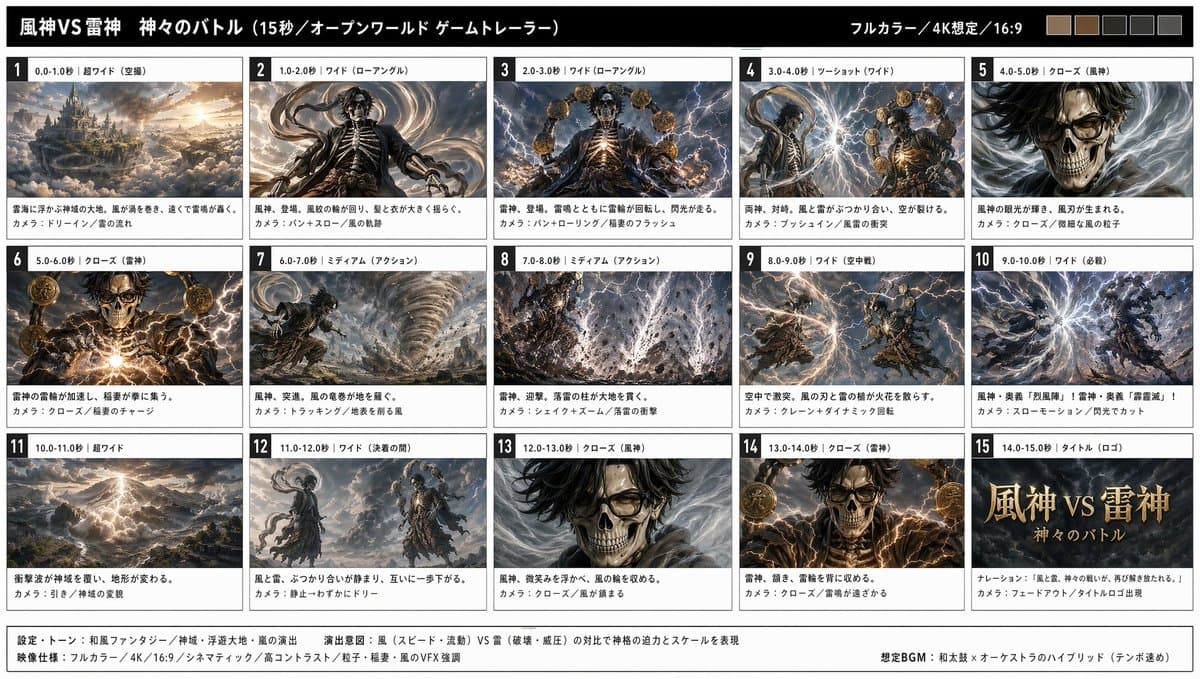 References
Use face, outfit, scene, and style references to keep a character recognizable through motion.
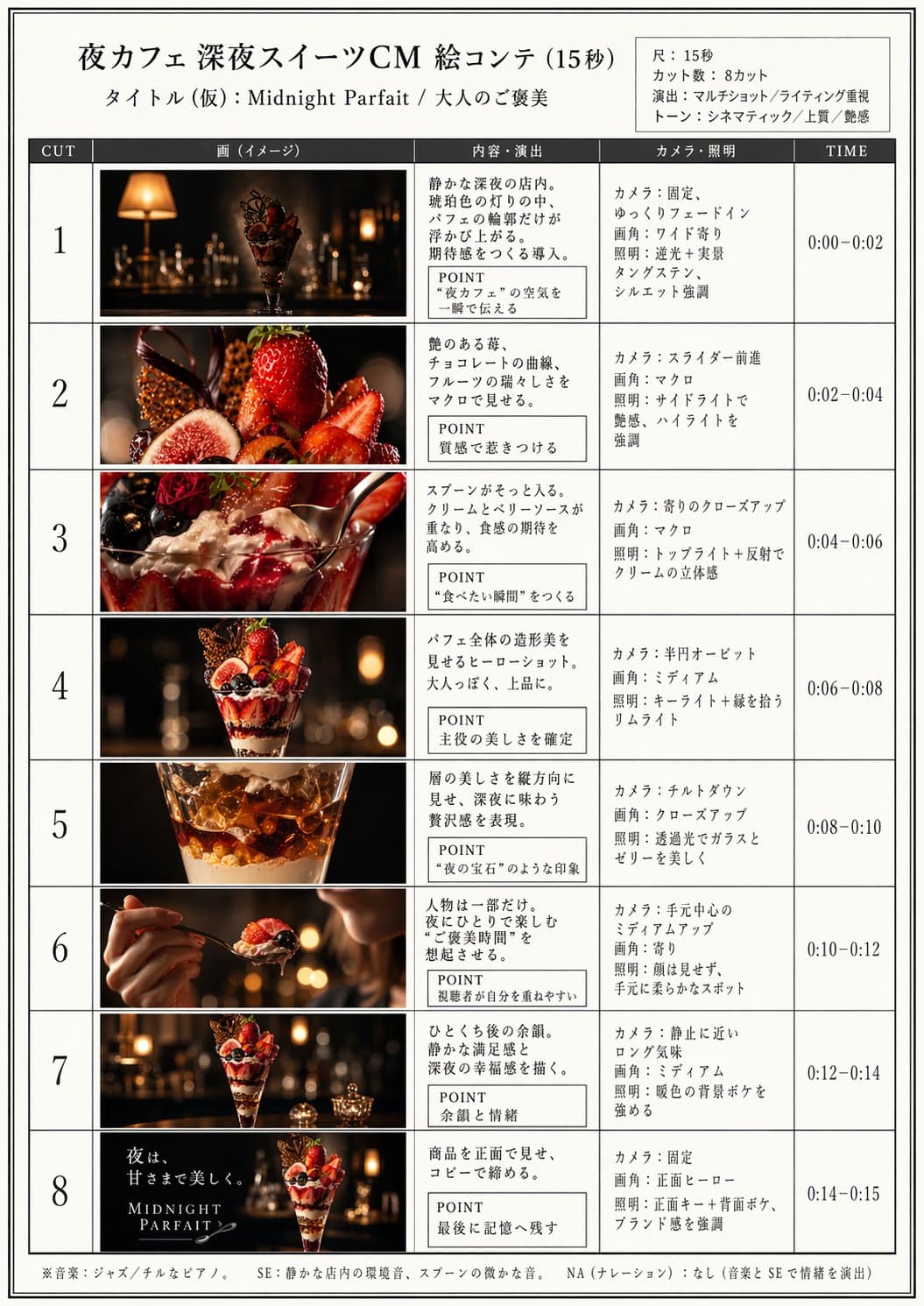 References
Combine product, lighting, lifestyle, and composition references for a controlled campaign asset.
Better than one image
One reference image often mixes identity, lighting, composition, and product detail. Multi Reference lets each image carry a clear job, which reduces drift and improves campaign continuity.
Use cases
Build videos where consistent characters, products, visual style, and scene continuity matter more than one-off animation.
Generate campaign videos that preserve recurring products, mascots, colors, and visual guidelines.
Combine product, packaging, lifestyle, and lighting references to create stable promotional videos.
Keep one avatar or character recognizable across outfits, settings, poses, and social video concepts.
Use character, scene, style, and shot references to build pre-visualized sequences with stronger continuity.
Animate characters, props, environments, and moodboards into pitch-ready motion clips.
Preserve model styling, garment details, campaign mood, and editorial camera language across clips.
Prompt craft
Good multi-reference prompts are explicit about which reference controls which part of the video.
Use reference 1 for character identity, reference 2 for outfit, and reference 3 for rainy neon mood. Create a slow walking shot with stable face, natural fabric motion, and cinematic street lighting.
Use the product packshot for shape and label, lifestyle image for environment, style image for lighting, and logo reference for end card. Generate a premium product reveal with slow orbit and clean reflections.
Preserve brand colors, typography mood, product silhouette, studio lighting, and social composition. Create a polished campaign clip with subtle camera push and matching end frame.
Use character, location, lighting, and camera references to build a three-shot cinematic sequence. Keep wardrobe consistent, maintain the room layout, and use slow dolly movement.
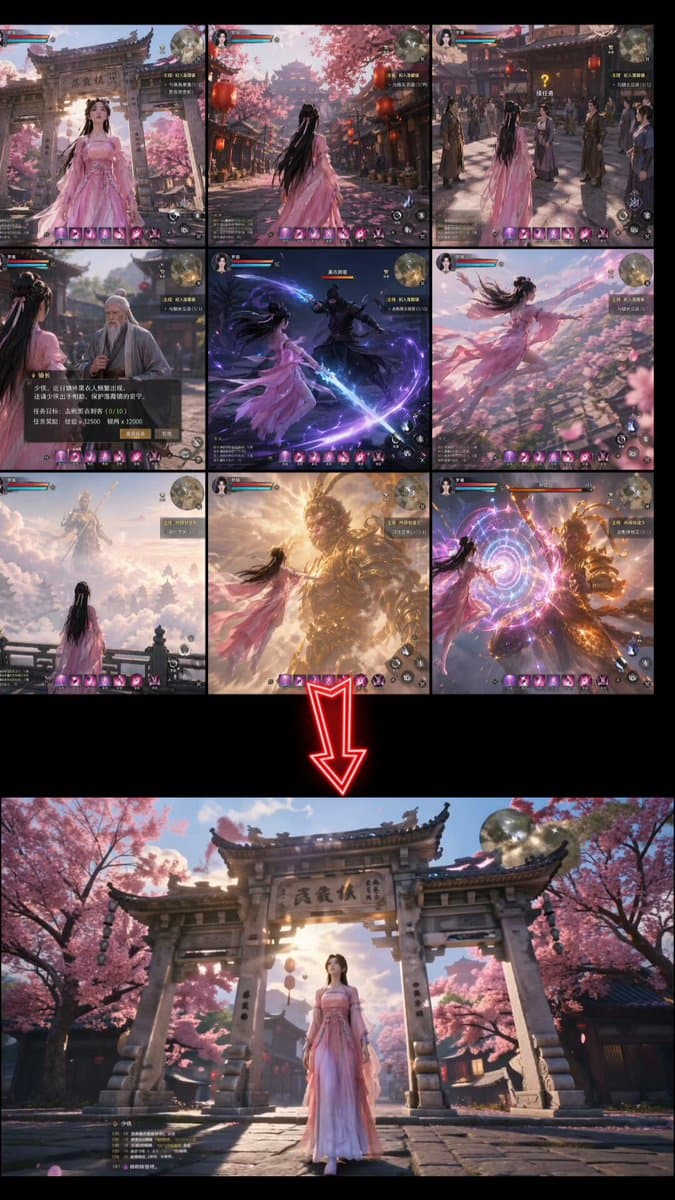
Multi Reference vs Image to Video
Use multiple references when one image cannot carry identity, style, product, and scene continuity.
Comparison
Answers about reference roles, consistency, product details, characters, best practices, and commercial use.
A multi reference AI video generator uses several uploaded images to guide one video, helping preserve characters, products, style, composition, scenes, or brand assets.
The exact limit depends on the model and plan, but a strong workflow should support multiple references for character, product, style, scene, and composition control.
References can control identity, outfit, product shape, logo details, lighting, camera style, scene layout, color palette, mood, or composition.
Image to Video animates one image. Multi Reference uses several images so the generated video can combine identity, product, style, scene, and camera guidance.
Yes. Use clear character references and prompt which features must stay fixed, such as face, hair, outfit, proportions, and styling.
Yes, as long as the reference images are clear. Name the exact details to preserve, such as label, packaging shape, logo placement, color, and materials.
Use sharp, well-lit images with clear subjects. Avoid conflicting styles unless you clearly explain which reference controls which part of the output.
Commercial use depends on your plan, model provider rules, and your rights to the uploaded references, products, people, logos, and brand assets.
Upload your character, product, style, and scene references, assign their roles, and generate videos with stronger continuity across every shot.