
GPT Image 2 + Seedance 2 Workflow: From Storyboard to AI Video
If you want reliable AI video, stop asking one model to invent everything at once. The practical workflow is to use GPT Image 2 to lock the visual system, then use Seedance 2 to animate that system with clear motion direction. This guide gives you the step-by-step process, reusable prompts, and real case patterns adapted from public creator examples.
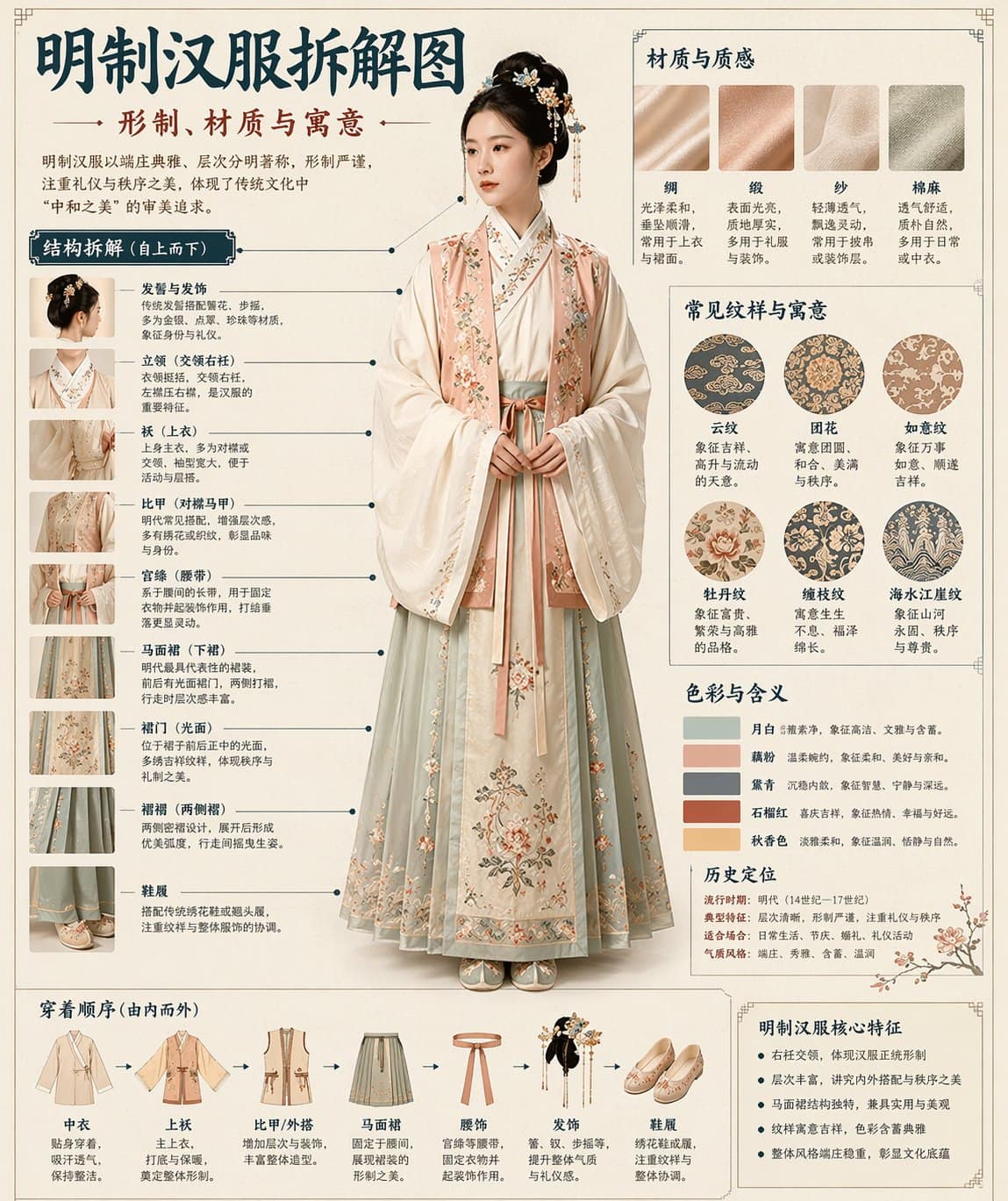
Quick answer
The GPT Image 2 + Seedance 2 workflow is a two-stage image-to-video pipeline: first create controlled hero frames, storyboard grids, product scenes, or character sheets with GPT Image 2; then upload those stills to Seedance 2 and prompt only for motion, camera, pacing, and continuity. This is stronger than text-to-video alone when identity, product detail, brand style, or shot order needs to survive the animation step.
Best for
Product ads, trailers, character intros, UI demos, social variants.
Not best for
Early concept wandering where you do not yet know the subject or scene.
Core rule
Let GPT Image 2 own the frame. Let Seedance 2 own the movement.
The 6-step GPT Image 2 to Seedance 2 workflow
The mistake most creators make is treating image-to-video as a slot machine. A better production loop treats the first frame as a contract: it defines what the video should preserve, and the motion prompt defines what should change.
1. Write the motion brief before any prompt
Separate the job into subject, audience, format, first-frame goal, movement, camera language, and non-negotiable details. This prevents the image model from solving motion and the video model from reinventing the design.
2. Build a frame pack in GPT Image 2
Create the hero frame first, then add supporting frames: close-up, environment, alternate lighting, final frame, and any product or character reference that must stay recognizable.
3. Lock continuity before video generation
Check silhouette, face or product shape, wardrobe, material, color palette, background geometry, and typography. If these are unstable as stills, Seedance 2 will usually magnify the drift.
4. Give Seedance 2 a narrow motion task
The Seedance prompt should focus on what changes over time: camera movement, action, pacing, lighting behavior, shot order, and what must remain stable. Avoid re-describing the entire still image.
5. Review like an editor, not a prompt gambler
Judge each render by framing, identity stability, physical motion, readable product detail, unwanted extra objects, and whether the ending lands. Fix the frame pack or the motion brief based on the failure.
6. Finish in FlowCanvas with variants and safety checks
Keep the winning prompt, frames, downloads, and related generations together. Generate channel-specific variants only after the core motion direction works.
Four real case patterns worth copying
Public creator examples across storyboard techniques, commercial production, character animation, music videos, game concepts, and production tooling point to a few repeatable patterns. The cases below are the most useful patterns for teams trying to make repeatable FlowCanvas workflows rather than one-off demos.
Community case pattern: 3x3 storyboard grid
Case 1: 3x3 storyboard grid for a cinematic sequence
Use it when you need one reference image to communicate multiple shots.
A single 3x3 grid gives Seedance a stronger sequence signal than a loose folder of unrelated images. It turns spatial layout into implied timeline.
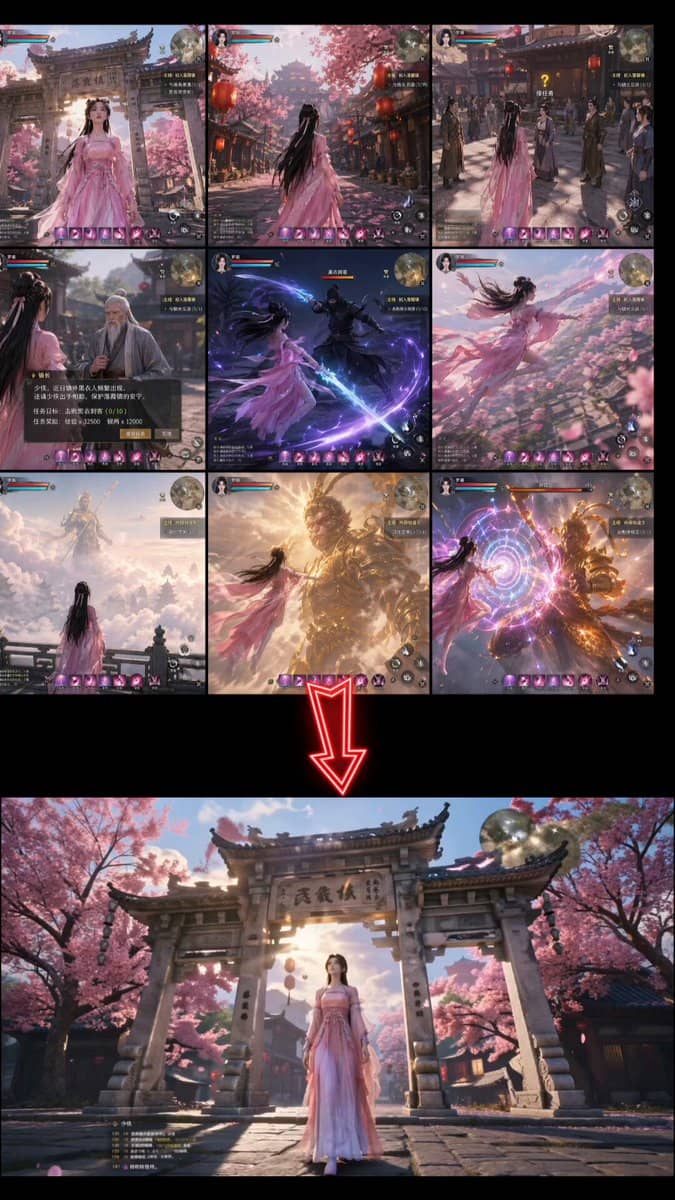
- Prompt GPT Image 2 to create a 3x3 grid in a consistent art direction.
- Ask another model or your editor to convert the grid into a concise motion prompt.
- Upload the grid to Seedance 2 and tell it to follow the sequence order.
Prompts used for this case
Image prompt
[describe your scene] and Create a storyboard in a 3x3 grid formatVideo prompt
[Describe the motion and style. Example: Japanese full-color animation, fast cuts, high frame count, 24fps, dark fantasy anime OP style, intense battle scenes.]Community case pattern: multi-frame fast-cut montage
Case 2: 12-frame fast-cut montage
Use it for trailers, memory montages, music-video cuts, and short narrative reels.
The critical phrase is to follow the storyboard sequence of the reference frames. That tells Seedance to treat frame positions as a timeline, not one collage.
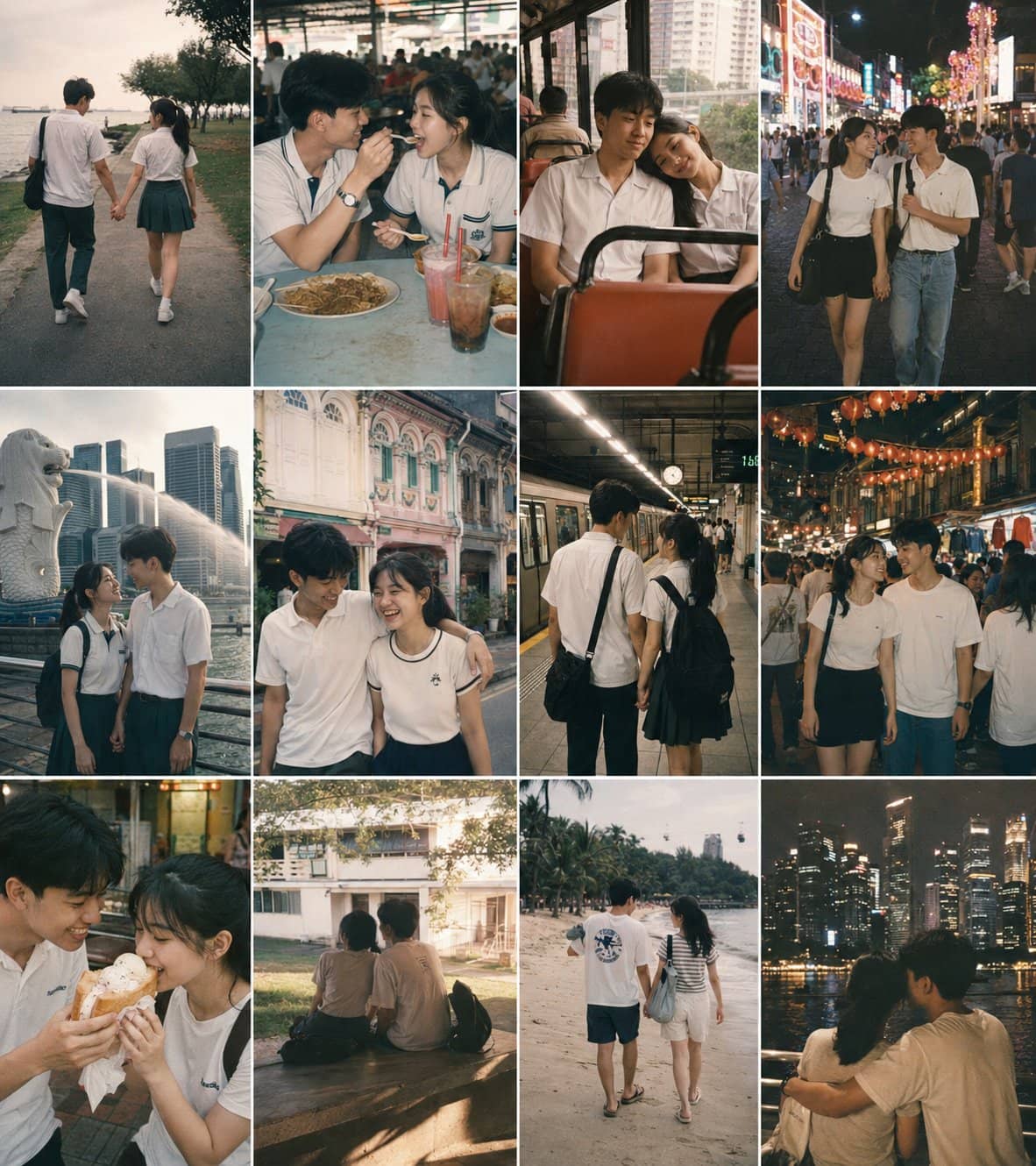
- Generate a 3x4 or 4x3 storyboard in GPT Image 2.
- Keep the same character, location logic, and lighting across the panels.
- Prompt Seedance 2 with the frame count, reading order, edit rhythm, and style.
Prompts used for this case
Image prompt
Create a 12-panel storyboard grid for a [N]-second [genre] film:
- 4 columns x 3 rows, left-to-right, top-to-bottom reading order
- Each panel: [shot type] + [action description]
- Location: [setting], Time: [day/night], Mood: [atmosphere]
- Consistent character design and scene across all panels
- No text labels, no panel borders
Output as a single image.
Video prompt
Follow the storyboard sequence of the 12 reference frames in image1, edited as a fast-cut memory montage.
[Describe visual style]
A nostalgic romance film set in 1990s Singapore, shot on 35mm film in Kodak Portra 800 style.
Soft grain, dreamy blur, warm highlights, and slight color shifts create a vintage cinematic atmosphere.
Universal sequencing prompt
Use this storyboard to generate a video, follow the scene order, keep transitions smooth,
and preserve cinematic lighting and pacing.
[Add any extra visual details you want.]
Community case pattern: short commercial workflow
Case 3: 15-second commercial from hero frame and storyboard
Use it for brand spots, launch teasers, and short product commercials.
A commercial workflow works best when the hero image and storyboard are generated together, then Seedance 2 is asked to animate a specific ad structure rather than invent the entire spot.
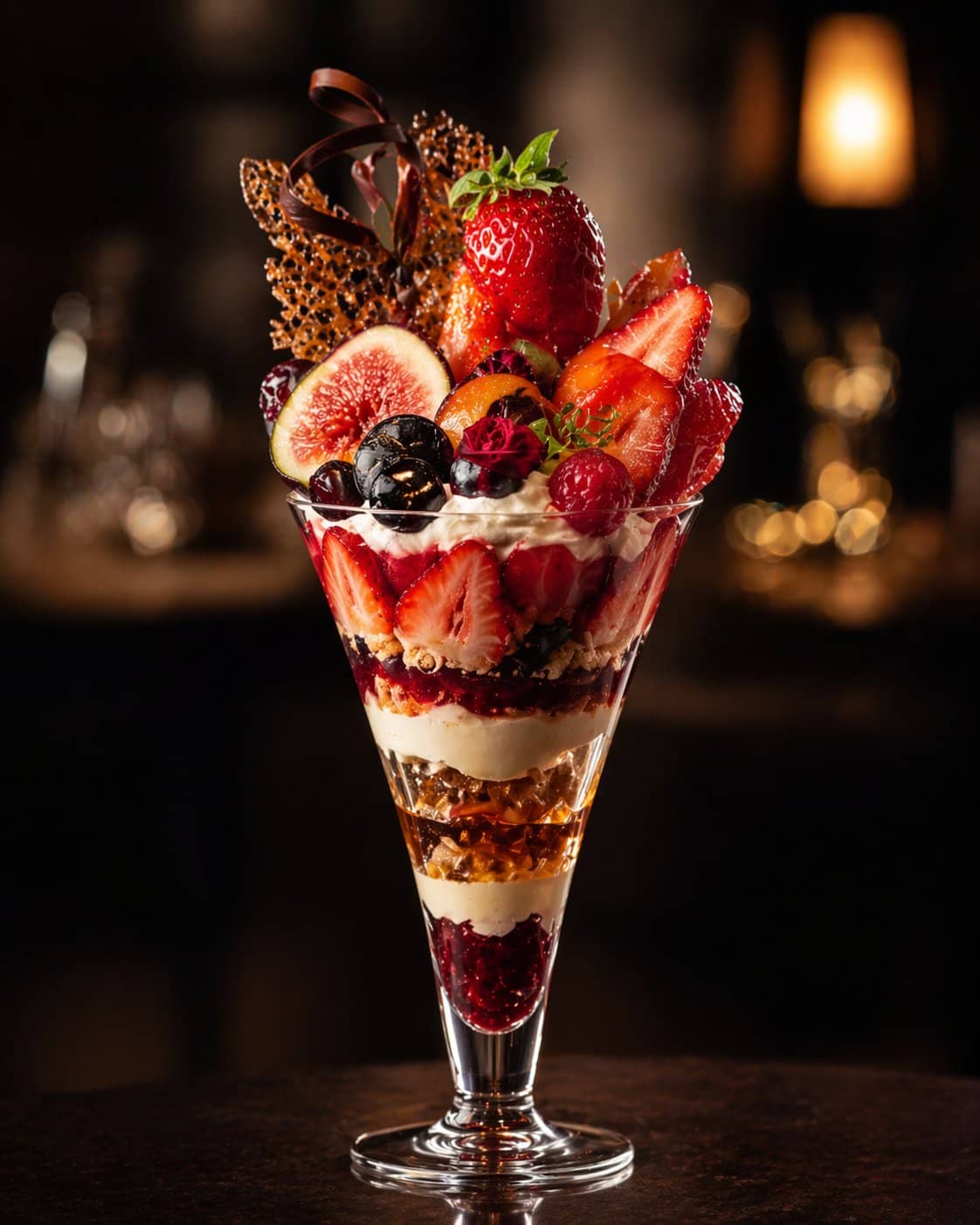
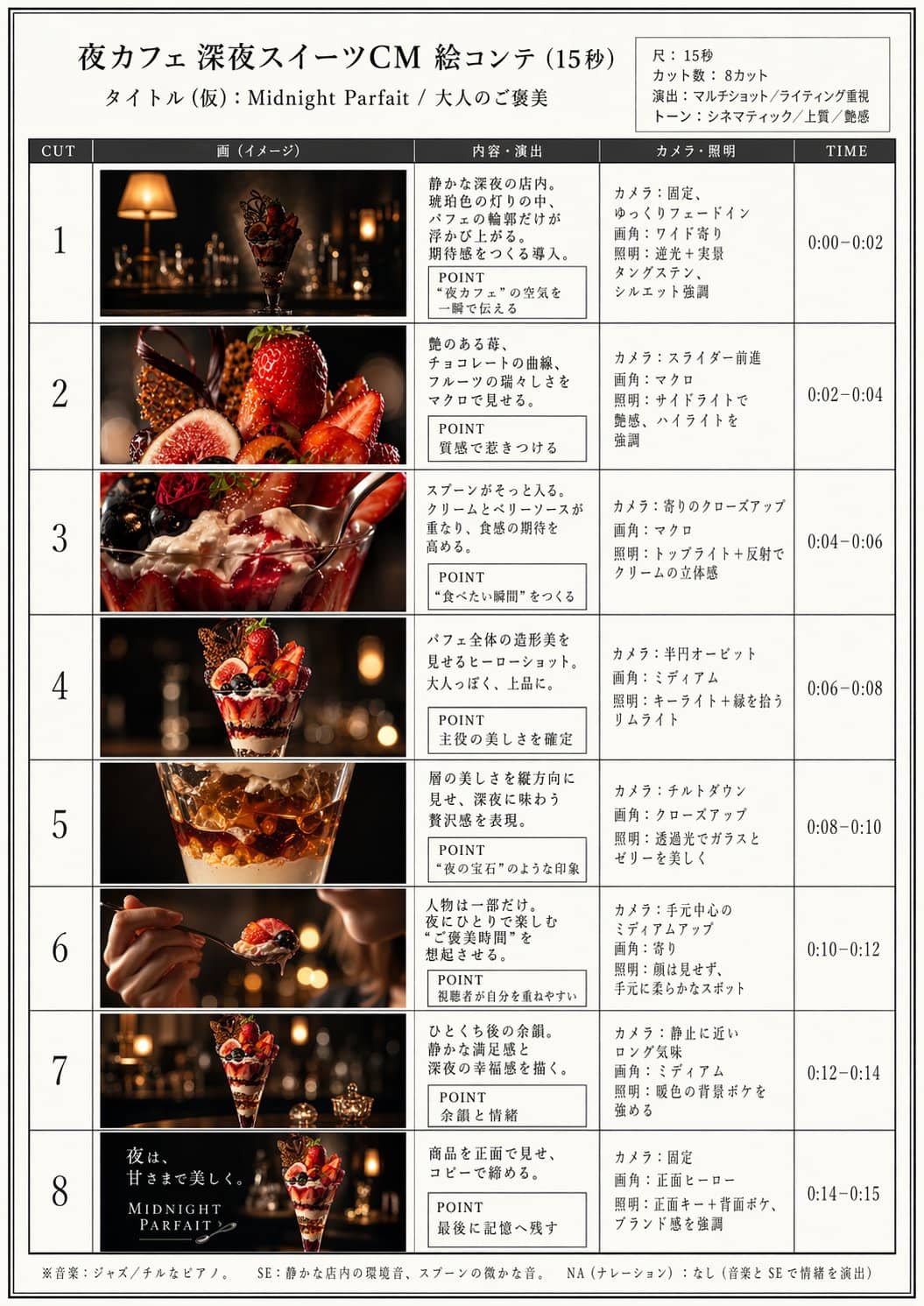
- Generate the main product image and storyboard in GPT Image 2.
- Keep the ad length and shot count explicit.
- Animate each clip with Seedance 2, then assemble with captions and music.
Prompts used for this case
Image prompt
夜カフェ 深夜スイーツをテーマにした15秒CMを作るので、絵コンテを作って。
プロの映像クリエイターによる15秒、8カット、マルチショット、ライティング重視。
Video prompt
15秒、8カット、マルチショット、ライティング重視Community case pattern: character sheet animation
Case 4: Character sheet to animation
Use it for anime characters, game characters, mascot reveals, and figure-style motion.
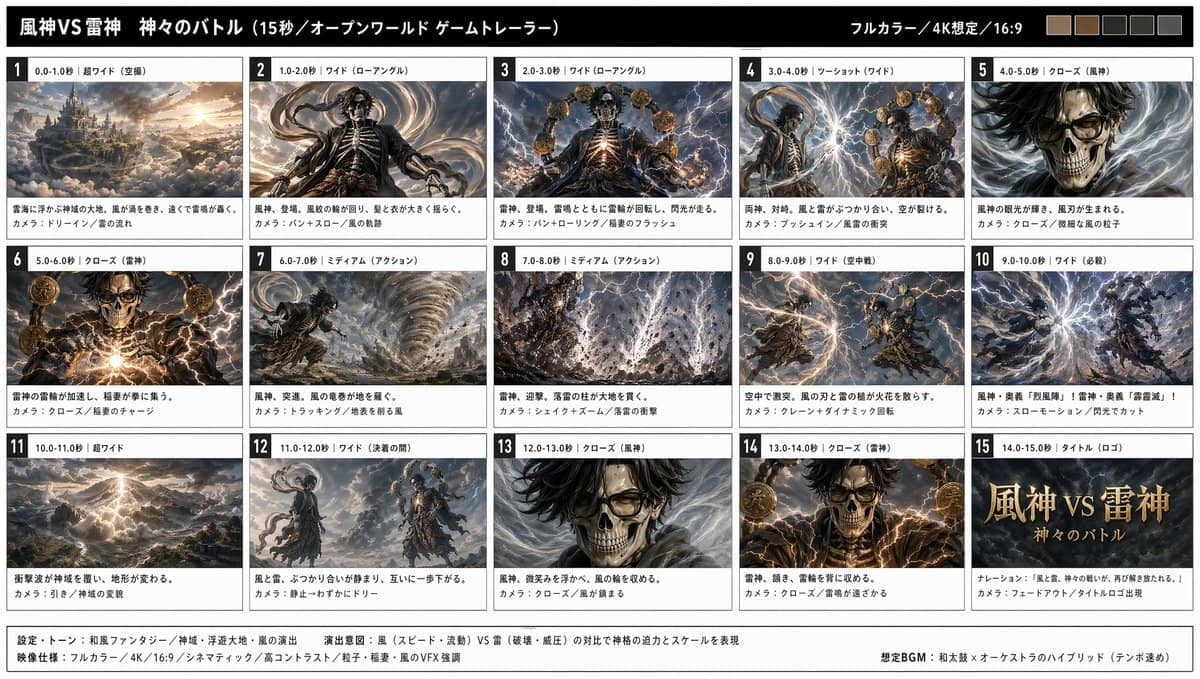
Character workflows need identity anchors before movement. A character sheet gives GPT Image 2 and Seedance 2 a shared reference for face, outfit, silhouette, and equipment.
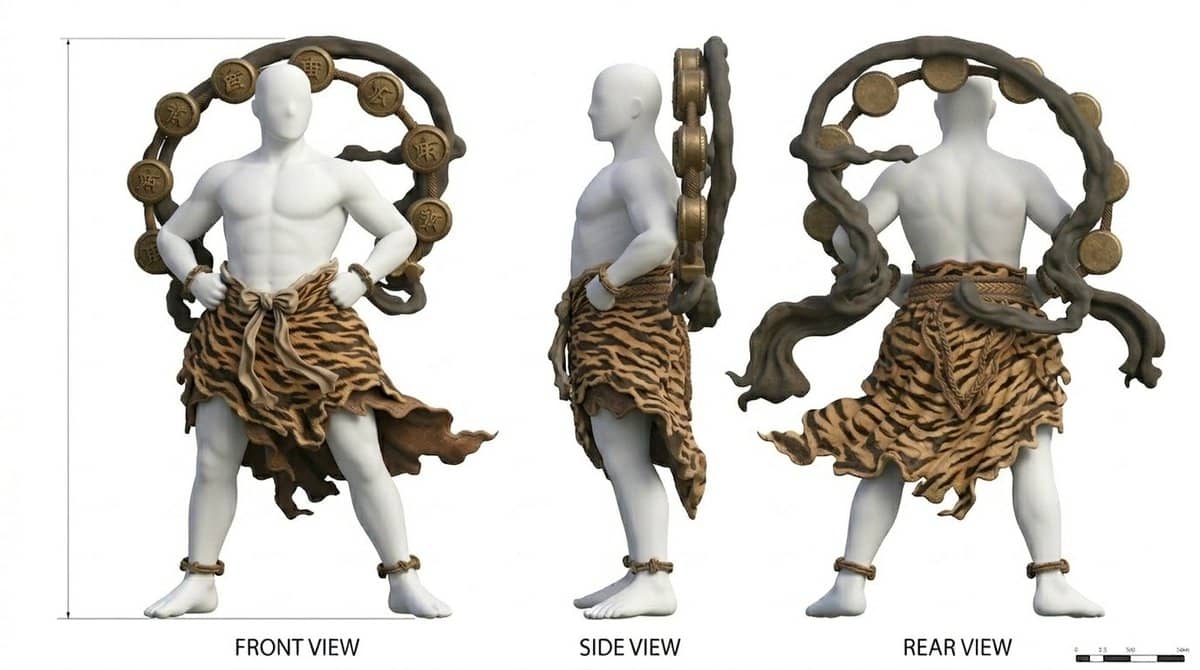
- Create front, side, and back views for the character and equipment.
- Generate a storyboard based on the character sheet.
- Use the storyboard as the Seedance 2 reference for a controlled animation pass.
Prompts used for this case
Image prompt
Create a storyboard based on this three-view drawingVideo prompt
Turn the storyboard into video using Seedance2.0Copy-paste prompt templates
GPT Image 2 frame-pack prompt
Create a [format] frame pack for a [asset type].
Goal: this will become a Seedance 2 image-to-video reference.
Subject: [product / character / scene]
Audience: [buyer / viewer / platform]
Visual direction: [style, palette, material, lighting]
Required frames:
1. Hero first frame
2. Detail close-up
3. Environment or context frame
4. Final destination frame
Continuity rules: keep [logo / face / outfit / silhouette / prop] consistent.
Output: clean image frames, no accidental text, no extra objects.
Seedance 2 motion prompt
Use the uploaded image as the visual anchor.
Preserve: [subject identity, product shape, wardrobe, logo position, lighting direction].
Action: [what changes over time].
Camera: [slow push-in / orbit / pan / handheld / static tripod].
Pacing: [calm luxury / fast-cut trailer / creator-ad energy].
Lighting behavior: [highlight sweep / soft flare / golden-hour shift].
Ending: [where the subject should land].
Avoid: new objects, identity drift, unreadable product detail, abrupt motion spikes.
Storyboard grid prompt
Create a 12-panel storyboard grid for a [N]-second [genre] video.
Layout: 4 columns x 3 rows, read left-to-right and top-to-bottom.
Each panel: one clear shot, one action, consistent subject identity.
Style: [cinematic / product commercial / anime / UI demo].
No text labels inside the image unless the label is part of the UI.
Use consistent lighting, palette, wardrobe, and environment geometry.
Output as a single image for image-to-video reference.
Common mistakes that weaken Seedance 2 output
| Mistake | Why it hurts | Fix |
|---|---|---|
| One giant prompt for everything | The model must invent style, composition, story, and motion at once. | Split visual planning and motion direction. |
| Weak first frame | Video generation amplifies unclear silhouettes and messy backgrounds. | Regenerate the still before spending video credits. |
| Too much action on pass one | Aggressive action increases identity drift and motion artifacts. | Start with a small move, then scale complexity. |
| Storyboard with inconsistent panels | Seedance receives conflicting identity and lighting cues. | Fix panel consistency in GPT Image 2 first. |
FAQ
What is the best GPT Image 2 + Seedance 2 workflow?
The best workflow is to use GPT Image 2 for the still-image planning stage and Seedance 2 for motion. Build a clear frame pack first, lock continuity, then prompt Seedance 2 with camera movement, action, pacing, and stability constraints.
Should I start with one image or a storyboard grid?
Use one image for a simple product reveal, portrait motion, or camera push. Use a storyboard grid when you need shot order, narrative progression, choreography, or a fast-cut edit.
What should the Seedance 2 prompt include?
It should include action, camera move, duration or pacing, lighting behavior, style, and preservation rules. Do not waste the prompt repeating every visual detail already present in the uploaded image.
How do I reduce visual drift in image-to-video?
Reduce drift by improving the source frame, simplifying the motion, keeping the background clean, specifying what must remain unchanged, and using storyboard panels only when the sequence actually needs them.
Is this workflow good for product ads?
Yes. Product ads are one of the clearest fits because an approved product photo can anchor shape, material, logo position, and color before Seedance 2 adds motion.
Can I use this for character animation?
Yes, but start with modest movement. Character sheets, pose grids, and simple camera moves usually hold identity better than aggressive action on the first pass.
Where does FlowCanvas fit in this workflow?
FlowCanvas keeps model selection, prompt history, credits, downloads, and workspace context in one place so you can move from image generation to video direction without losing the production trail.
Is FlowCanvas an official Seedance 2 provider?
No. FlowCanvas is an independent workspace. Third-party model names are used to identify selectable underlying technologies, not to imply endorsement or affiliation.
Visual assets plan for this article
For the next design pass, use a clean workflow diagram as the featured visual, plus in-article graphics for the six-step pipeline, storyboard grid anatomy, product-ad handoff, and QA checklist. Keep graphics factual and avoid claiming model limits, prices, or benchmark wins that are not verified in the article.
Build the workflow in FlowCanvas
Use FlowCanvas when you want GPT Image 2 still generation, Seedance 2 motion direction, prompt history, downloads, and workspace context in one production flow. Start with one frame pack, test one motion direction, then create variants only after the base shot works.
Open FlowCanvas workspace